
By Alexander Koltsov, ERPixel
Today, I want to explain how Odoo Inventory works and how a business can use it in everyday operations. It is also a useful way to answer a broader question: what does a warehouse management system actually do?
A WMS helps you understand what stock you have, where it is stored, and how to receive, put away, pick, dispatch and count it. In Odoo, these activities connect with the rest of the business. Purchasing, sales and manufacturing all influence what happens in the warehouse.
I consider Inventory one of Odoo’s more conservative modules. Its underlying logic is strict, and configuring it properly requires a good understanding of how the system handles goods. A configuration can look perfectly reasonable on screen and still make daily work difficult if it does not reflect how products actually move.
For me, Inventory needs to answer four questions:
- What stock does the company have?
- Where is it?
- What is it worth, and how was its cost determined?
- Why do we have this quantity rather than more or less?
To understand those answers, we need to start with a few concepts. They explain much of Odoo’s approach to warehouse management.
When does a business need a WMS?
If employees find products from memory, salespeople promise stock already reserved for another customer, or inventory counts repeatedly reveal unexplained differences, it is time to look closely at warehouse processes.
A warehouse management system becomes useful when the business needs decisions based on records it can verify.
Installing an application is only the beginning. You also need reliable product records, correct units of measure, meaningful storage locations and clear rules for recording operations.
For an overview of the module’s business capabilities, see our Odoo Inventory page. Here, I want to focus on the logic behind those capabilities.
Two other terms help when reading stock reports and setting up flows: Quantity on Hand is the current recorded stock balance, while a Route defines how goods are supplied or moved through operational steps.
A warehouse and a location are different things
In Odoo, a warehouse represents a physical site where the company carries out warehouse operations. It has an address and its own receiving, storage and dispatch arrangements.
I start with the physical reality: which sites does the company operate, and where are the goods actually located?
Clients sometimes tell me, “We have a virtual warehouse.”
My next question is always: what do you mean by that?
Goods in transit? Damaged stock? Differences discovered during a count? Products already handed over to a customer?
Many of these situations do not require another warehouse. They require appropriate locations and correctly configured flows.
A location describes a place within the warehouse structure: an area, room, rack, shelf or bin. A pallet can also be identified, typically as a package held at a particular location.
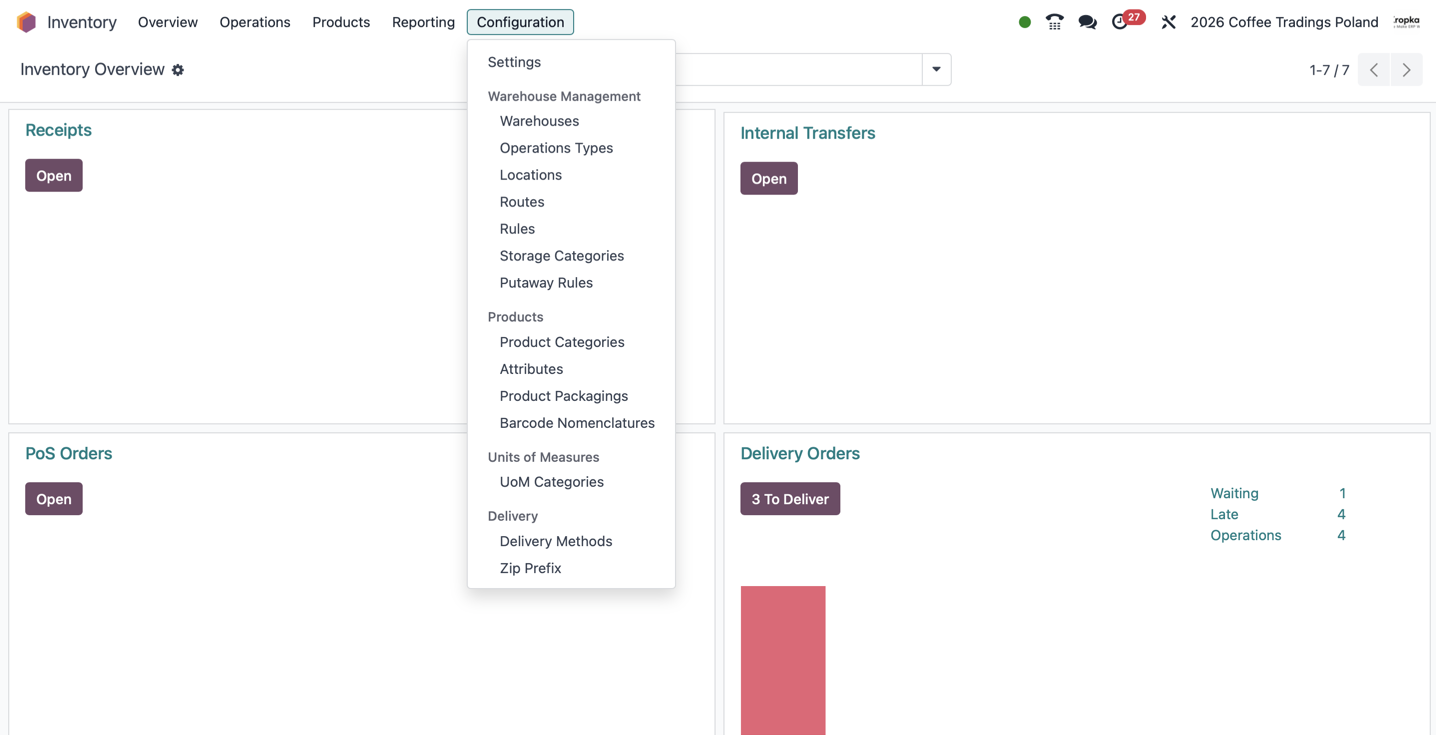
A basic setup starts with one warehouse and its main stock location. Odoo also uses locations that support the recording of movements. As the business needs more detail, we can divide storage into areas such as:
- Receiving.
- Packing.
- Chilled products.
- Frozen products.
- Jewellery and other valuable goods.
- Individual racks and bins.
Locations can have their own barcodes. An employee can scan both the product and the location receiving it.
“The product is in the warehouse” becomes much more useful when we can say, “It is in bin A-03-02.”
Putaway rules help determine where goods should go
Putaway rules allow Odoo to suggest a destination for a particular product or product category.
Fish goes to the appropriate fish storage area. Frozen goods go to frozen storage. Valuable items go to the area intended for them.
The rule determines the destination. A person still carries out the physical movement.
That is why configuration starts with storage requirements, the warehouse layout and the team’s actual work.
When those flows become more complex, our article on Odoo Inventory routes and rules explores how the different steps connect.
The warehouse carries out instructions from the business
One important principle in Odoo is that warehouse work usually originates elsewhere in the business.
Purchasing organizes an incoming delivery. Sales creates a requirement to dispatch goods. Manufacturing requests components and delivers finished products.
The warehouse carries out those instructions and records what actually happened.
There are exceptions. Employees may need to move products to another rack, reorganize pallet storage or make better use of available space. These activities use internal transfers.
This brings us to operation types.
An operation type defines how a particular flow is handled, which settings apply and which locations are used by default. It can also have a barcode.
Think of it as a process template. An individual receipt or delivery is a document handled according to that template.
The underlying instruction is straightforward: take these goods from this location and move them to that location.
A customer delivery moves goods from storage towards the customer. A supplier receipt records movement in the opposite direction.
Warehouse work becomes a set of identifiable tasks with results that can be checked.
Stock does not appear from nowhere or disappear without a trace
Odoo uses locations for physical storage and locations representing movements beyond the company’s own stock.
Suppliers and customers are examples. There are also locations for scrap and inventory differences.
A customer location does not mean delivered goods remain part of your inventory. It records where those goods went. A supplier location records where received goods came from.
Every change in stock quantity has a source and a destination.
Odoo uses stock moves to describe movements. Detailed operations record the locations, quantities and, where relevant, lots, serial numbers and packages involved.
You can think of this as a two-sided record of quantity: less in one place, more in another.
That analogy has a limit. It does not mean every stock movement automatically creates an identical pair of accounting entries. Accounting has its own configuration and rules.
The same movement principle supports receipts, deliveries, returns, scrap and inventory adjustments.
Operation types may look like a simple part of the configuration, but they deserve careful attention. As consultants, we want warehouse instructions to be clear and their execution to be observable and verifiable.
Why do we have 20 units, and how many can we use?
Suppose there are 20 units of a product in bin A.
Why 20?
Because the recorded incoming and outgoing movements have produced that balance.
Odoo does not need to reconstruct the entire movement history whenever someone opens an availability report. It maintains current stock records called quants.
A quant represents a product quantity at a location, with distinctions such as lot, package and owner where those apply.
It is a technical record of the current state. It should not be treated as an arbitrary number to edit whenever the balance looks inconvenient. Changes should follow the relevant operation or a controlled inventory adjustment.
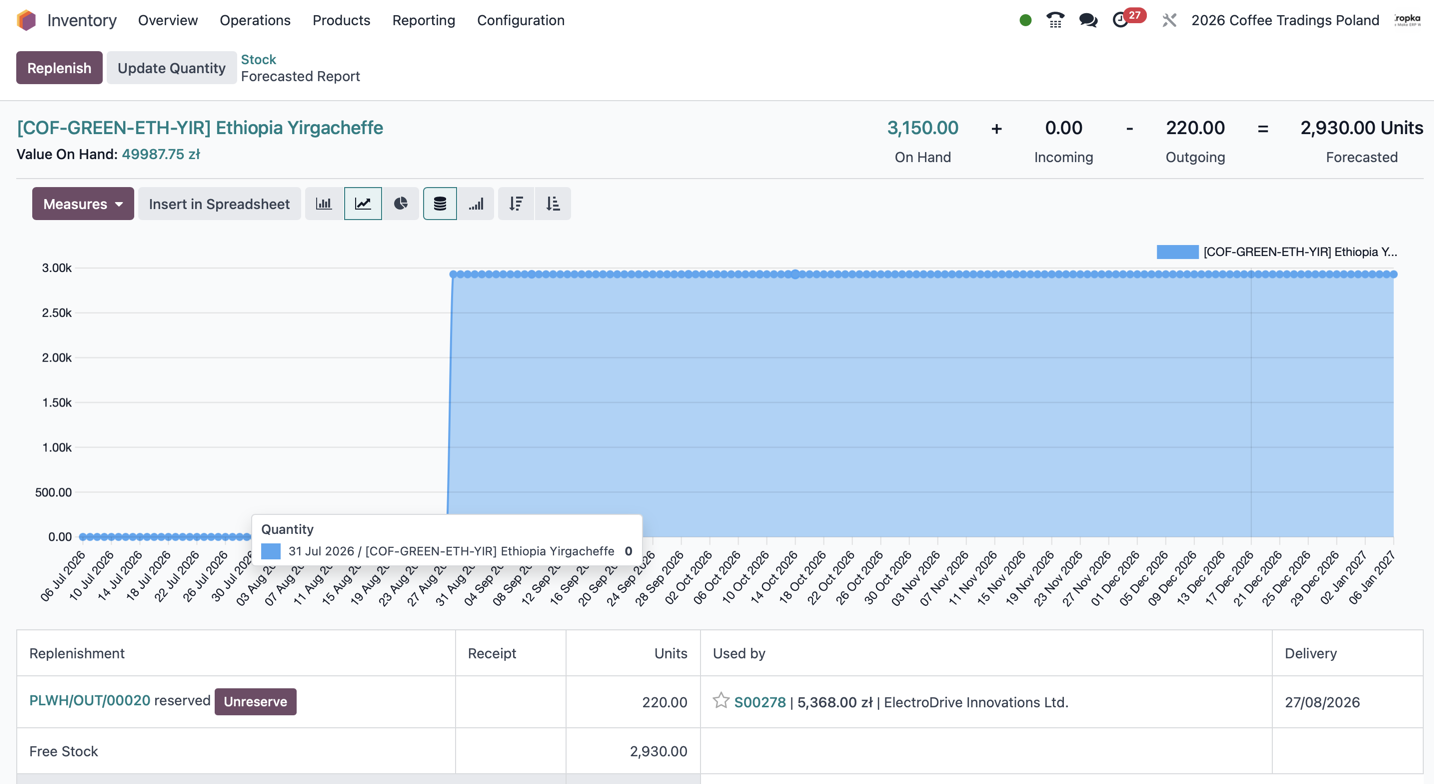
On-hand quantity: what is recorded now
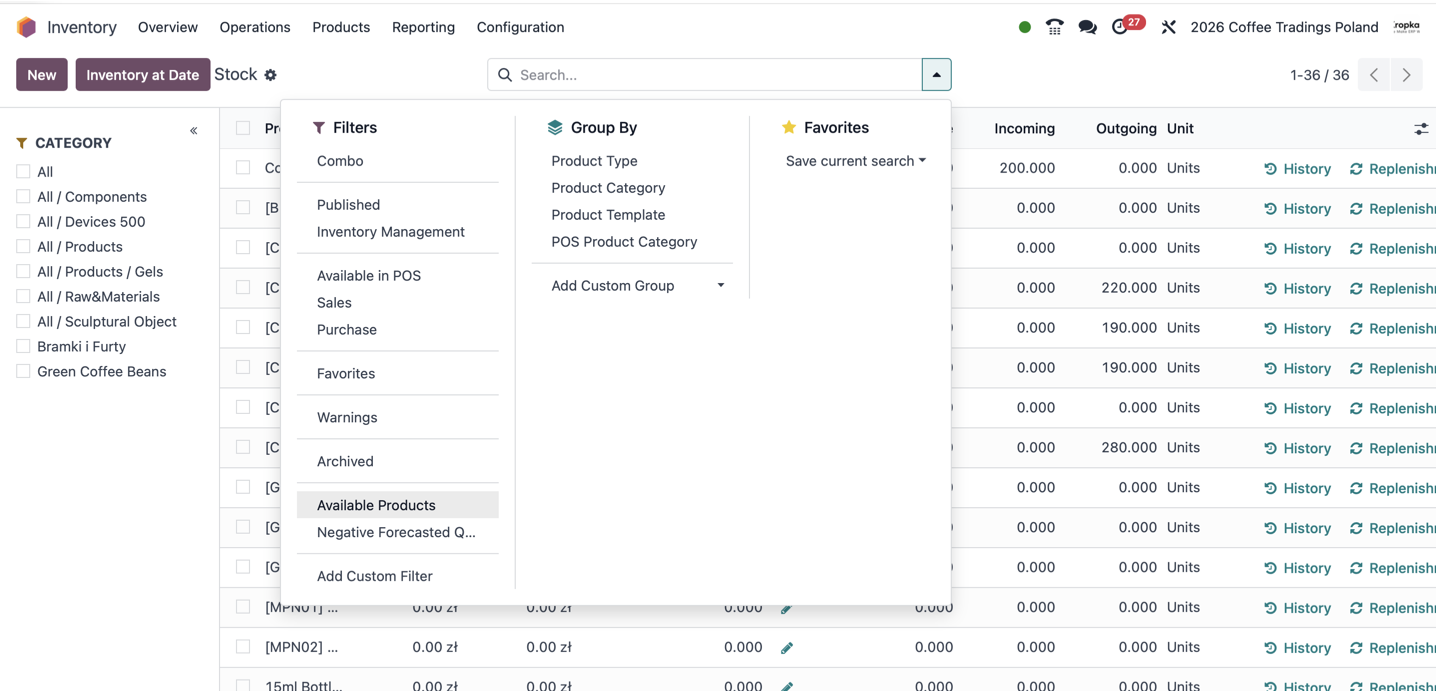
On-hand quantity shows the current recorded quantity within the scope you are viewing.
Reports can be filtered by product, category, location and other criteria. Those filters matter.
The system also depends on timely confirmation. If goods have arrived physically but the receipt has not been validated, Odoo cannot discover that arrival by itself.
Free-to-use quantity: what remains after reservations
Of those 20 units, imagine that 17 are reserved for other deliveries.
You still have 20 units physically and in the records, but only three remain free to use.
Creating a document does not always reserve stock immediately. Reservation depends on the configuration, the operation and availability.
“On the shelf” and “available to promise to another customer” answer different questions.
Forecasted quantity: what is expected to change
Odoo also considers planned incoming and outgoing movements.
Expected supplier deliveries and future customer shipments help show how availability may change over time.
That is useful for replenishment planning. But an expected delivery is still an expectation. Its usefulness depends on accurate documents and realistic dates.
Lots and serial numbers make stock traceable
A lot identifies a group of units of the same product.
For example, a delivery of 20 units might receive a particular lot number. We can then follow where those units came from, where they were stored and which customers received them.
With the relevant configuration, lot tracking can also support expiry-date control.
A serial number identifies an individual unit.
A useful way to explain it is to imagine a batch of one, although Odoo treats serial-number tracking as a separate tracking method.
For unique equipment, we may need to know exactly which unit arrived, where it moved and who received it.
That movement history supports traceability. Managing subsequent use, repairs and warranty claims may require additional applications and processes.
Lots and serial numbers give the business a more precise view than a single total quantity.
Inventory and Barcode have different jobs
Inventory manages stock records and warehouse operations. Barcode is a separate application for carrying out those operations using barcode scanning.
Both work with the same products, locations and documents.
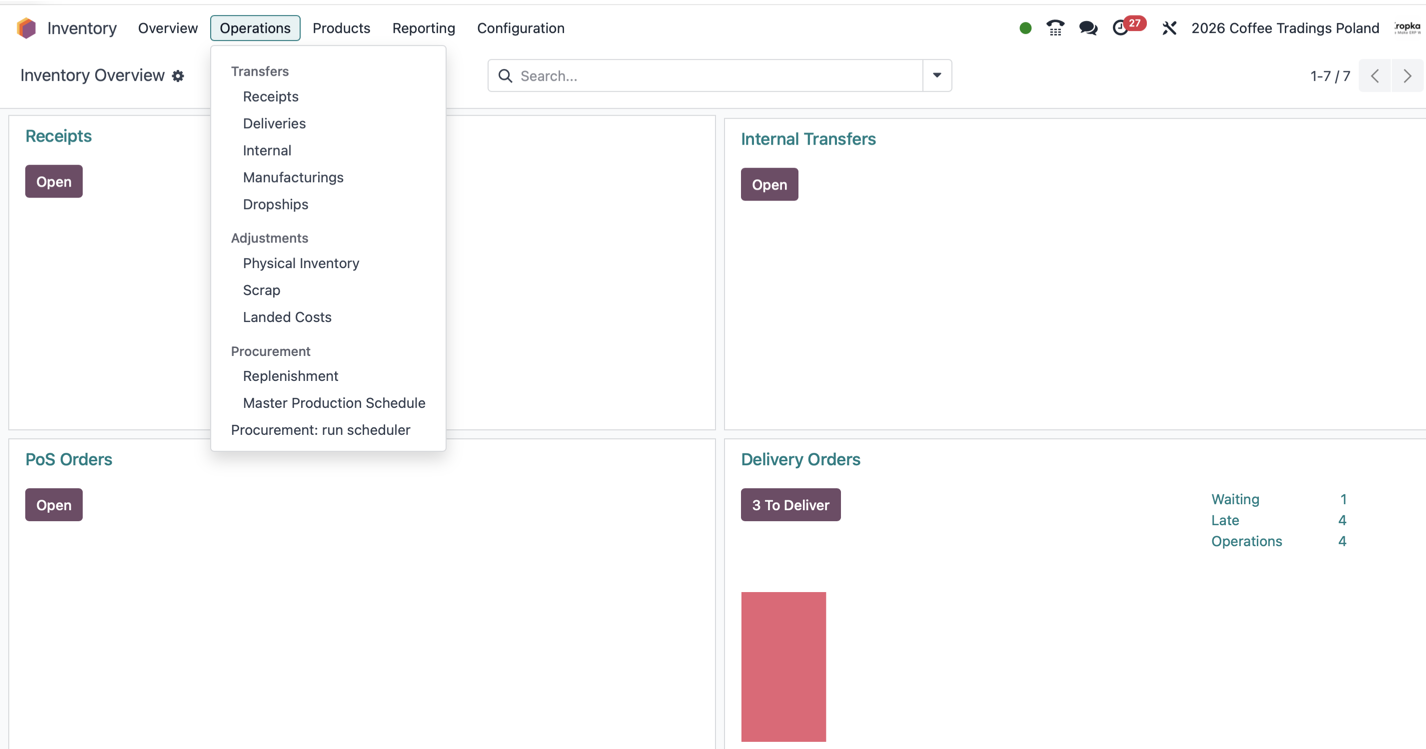
You can use Inventory without Barcode, opening documents in the standard interface and entering quantities manually.
Barcode changes how employees execute the work. They scan a product, location or operation instead of finding and entering everything by hand.
The availability of Barcode and particular features depends on the Odoo edition and configuration.
What daily work with a scanner looks like
A warehouse employee opens Barcode and accesses the relevant operations: incoming deliveries, outgoing orders or internal movements.
The information already recorded in Odoo becomes an instruction: which products, how many, for which operation and with what tracking requirements.
Receiving goods
When a supplier arrives, the employee opens the appropriate receipt, scans the products and records the quantity actually received.
If required, they also record lots or serial numbers.
Ordered 20 units but received 18? Record 18.
Missing products or unexpected substitutions need to be reflected and investigated. Confirming the planned quantity simply to finish the document gives the rest of the business incorrect information.
Scanning helps identify products and reduces selection errors. Quantity handling still depends on barcode configuration and units of measure. A scan does not automatically mean an entire carton in every setup.
Backorders separate completed work from outstanding work
When an operation is only partially completed, Odoo can create a backorder for the remaining quantity.
We distinguish what has happened from what is still expected.
Alternatively, the remaining quantity may be cancelled if it is no longer required or expected.
Whether Odoo asks about a backorder, creates one automatically or does not create one depends on the operation type’s settings.
A backorder records outstanding work. It does not guarantee the supplier will deliver it.
When does stock update?
Validating the completed operation updates the stock records.
If employees register movements as they happen, the business gets timely warehouse information. The completion date also helps reconstruct events later.
Stock valuation and accounting are connected to these processes, but their behaviour depends on the Odoo version, valuation method and accounting configuration.
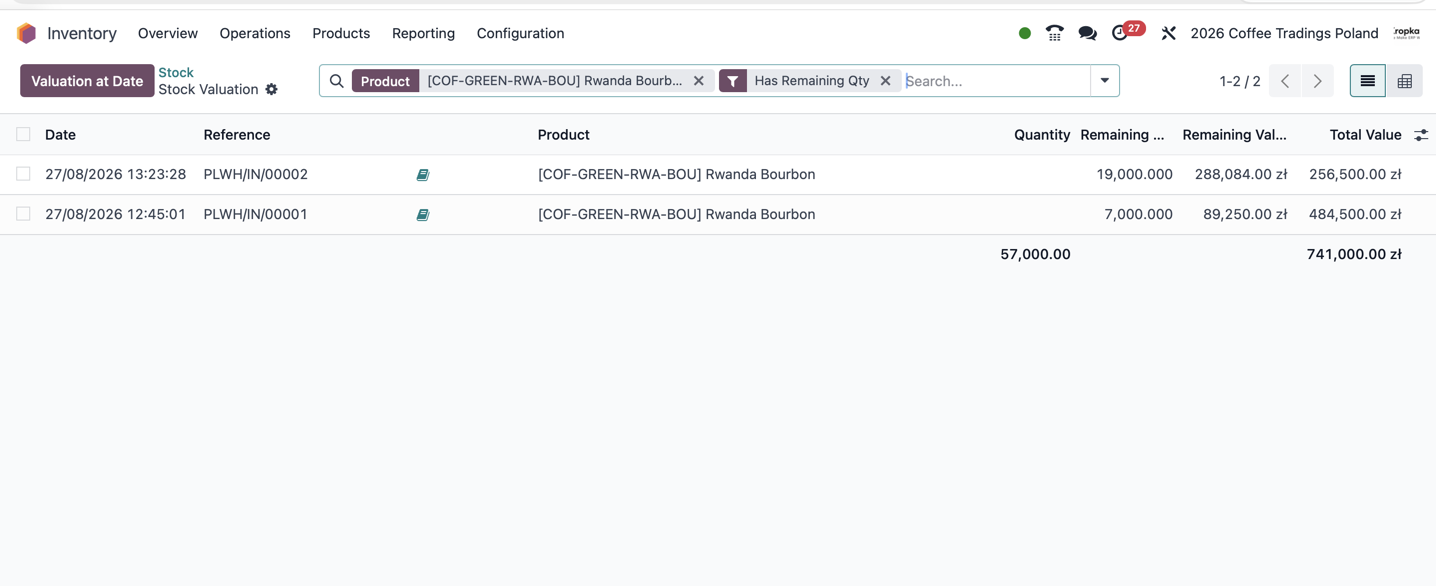
I am leaving the accounting detail outside this article. For that side of the process, see our article on Odoo 19 inventory valuation.
From picking an order to handing it to the carrier
Dispatch follows a similar pattern.
We open the planned operation, collect the products, check actual quantities and prepare the shipment.
Depending on the warehouse organization, picking, packing and dispatch may be handled in one operation or separate stages.
Inventory also connects with sales and carrier integrations. We work with delivery workflows involving carriers such as InPost and DHL, although the available automation depends on the connector and carrier service.
In a workflow we commonly configure, the warehouse prepares the parcel, the system sends shipment information to the carrier, and a label and tracking number become available. The carrier then collects the shipment.
Preparing the parcel, validating the warehouse delivery and physically handing it to the carrier are separate events.
For a more complex example, read my account of implementing Odoo for international ecommerce and seven 3PL providers.
The process needs to distinguish them clearly. Otherwise, different teams can use the same word—“shipped”—to mean different things.
Scrap, internal transfers and inventory counts
Some goods become damaged or unsuitable for use.
Scrap records their movement to the appropriate scrap location so they no longer remain available for ordinary dispatch.
In our implementations, we often organize this as a two-stage process: identify and move the goods for review, then confirm the final scrap operation.
We want someone to be able to check what is being written off. This is our process design, rather than a mandatory workflow in every Odoo installation.
Internal transfers handle changes in storage position. Moving goods to a different rack changes where they are held without necessarily changing the company’s total stock.
Inventory counts compare recorded quantities with what employees physically count.
After the adjustment is applied, Odoo records movements that bring the quantity into line with the count. The previous movement history remains.
An adjustment corrects the balance. Finding the reason for the difference is a separate task.
Questions I hear from Inventory users
Why does the system say we are short of stock?
Start with the product’s movements.
Check dates, source and destination locations, related documents and the users involved.
Sometimes the goods arrived but the receipt was never validated. Sometimes someone selected the wrong product. Sometimes the stock is in a location excluded from the current report.
Also distinguish a physical shortage from a shortage of unreserved stock. Goods can be on the shelf and already allocated to another delivery.
Understand the history and report scope before making an adjustment.
We validated the operation with the wrong product. How do we fix it?
The completed history should remain explainable.
Depending on what happened, the correction may involve a return or reverse movement followed by the correct operation. An inventory adjustment may be appropriate in justified circumstances.
The right method depends on the physical events, linked documents and any valuation or accounting consequences.
There should be an explanation for the correction and a history someone can follow.
Scanning makes product-selection mistakes less likely, but it still depends on correct barcodes, product data and working procedures.
We accidentally created a duplicate product.
Once the duplicate has stock, movements or linked documents, this becomes more than deleting an extra row.
First, identify the product record that should remain in use. Then check quantities, reservations, lots, serial numbers, integrations and valuation.
Some situations require a controlled correction of stock recorded against the wrong product. Where value history or accounting documents exist, that correction needs particular care.
After resolving the dependencies, the incorrect product is usually archived.
In our configurations, we often restrict who can create products. A new product record is a responsibility that should have a clear owner.
Can Odoo and our online store match products by barcode?
Yes. We have experience connecting Odoo with Shopify, WordPress/WooCommerce and Amazon, and barcodes can be used for product mapping.
The codes must be unique and consistent across the systems, including product variants.
Duplicate or missing codes cause problems. So does confusing an individual-item barcode with a packaging barcode.
The connector must support the chosen identification method; configuration or development may be needed.
Good integration starts with orderly product data.
Do we need to track every glove, label and screw?
Not necessarily.
Gloves, cleaning cloths, labels, stretch film and small fasteners may not justify detailed quantity tracking.
Earlier Odoo versions used the term consumable products. In Odoo 19, goods can be configured with Track Inventory disabled. They can still participate in relevant purchasing and operational processes, but do not provide the same on-hand and forecasted quantity control as tracked goods. This distinction is described in Odoo’s product-type documentation.
This is a deliberate decision about how much control the business needs.
If running out of a particular consumable stops work, I would reconsider that decision and introduce stock tracking and replenishment.
Material cost can still be relevant to manufacturing or other configured costing processes. Disabling quantity tracking does not automatically allocate that cost to every warehouse operation.
What we do at ERPixel
We have been implementing warehouse management with Odoo for more than ten years.
Our work includes complex warehouse processes, stock costing and reporting on inventory turnover, warehouse activity and ABC analysis.
We also work on corrections involving earlier periods. That requires attention to the Odoo version, movement dates, stock valuation and accounting rules. Changing a date on a document is rarely the whole answer.
One topic I have deliberately left for another article is landed costs: allocating relevant additional acquisition costs to inventory.
It matters to product cost, but the process usually belongs more closely to purchasing and accounting than to a warehouse operator’s daily tasks.
Our job is to make the operations reliable, the stock history understandable, the valuation correct and the reporting useful.
That combination is why Odoo remains my first choice for understanding both what stock a company has and how that stock came to be there.
Try Odoo Inventory in our demo
If you would like to explore the system yourself, open the ERPixel Odoo demo.
- Login:
demo@erpixel.com - Password:
demo@erpixel.com
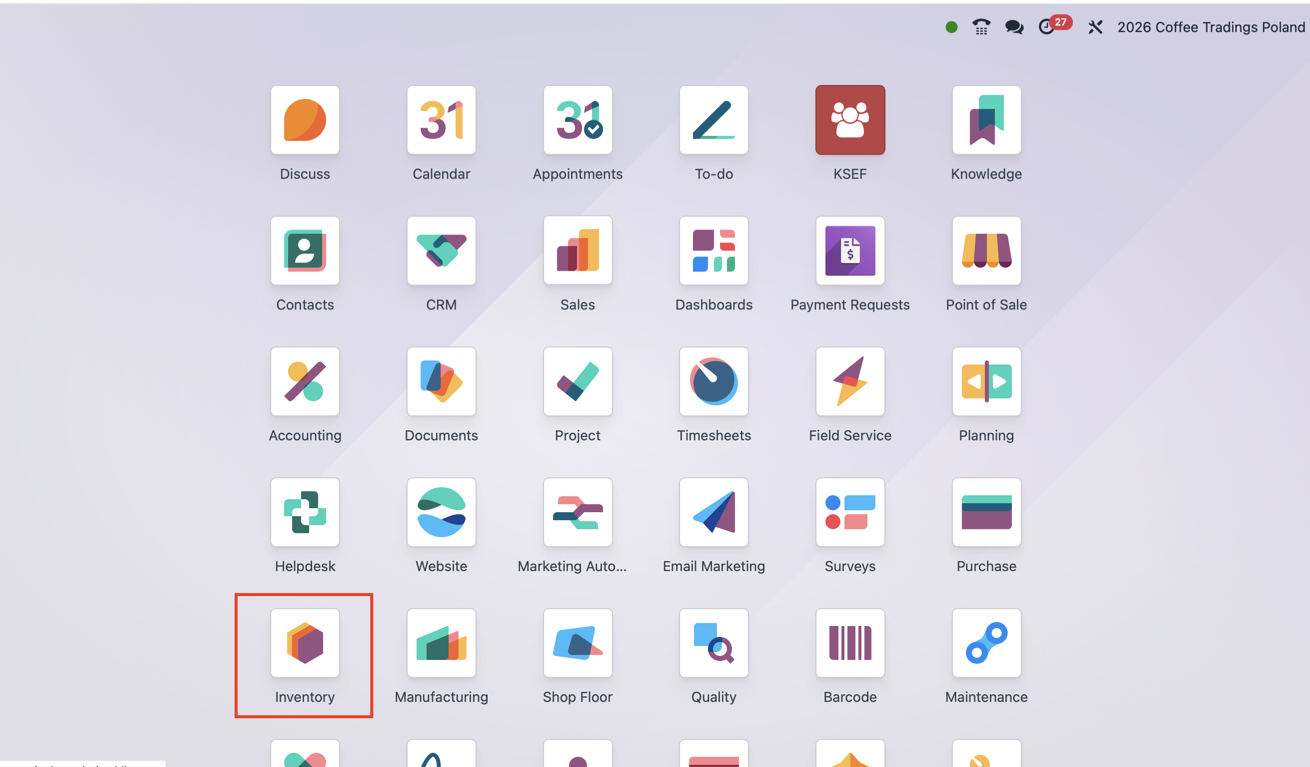
Open Inventory from the application dashboard, then explore the operations overview, stock reports and product forecasts discussed in this article. The interface and available features depend on the demo environment’s configuration.
If your team needs to understand these processes in practice, explore our Odoo Inventory training for warehouse teams.
Or contact ERPixel and tell us how your warehouse works today: where goods arrive, where they are stored, how orders are picked and which discrepancies are hardest to explain. Those details give us a useful starting point for discussing your setup.