
Manual fulfillment entry
Send eligible Odoo deliveries to InfoPlus without recreating orders and line details in the WMS.
Odoo × InfoPlus WMS integration
Connect Odoo ERP with InfoPlus WMS to automate fulfillment orders, product and customer mapping, warehouse locations, inventory, shipment status, and tracking.
Built for Odoo Enterprise Edition · InfoPlus REST/JSON API · Configuration and implementation assessment required
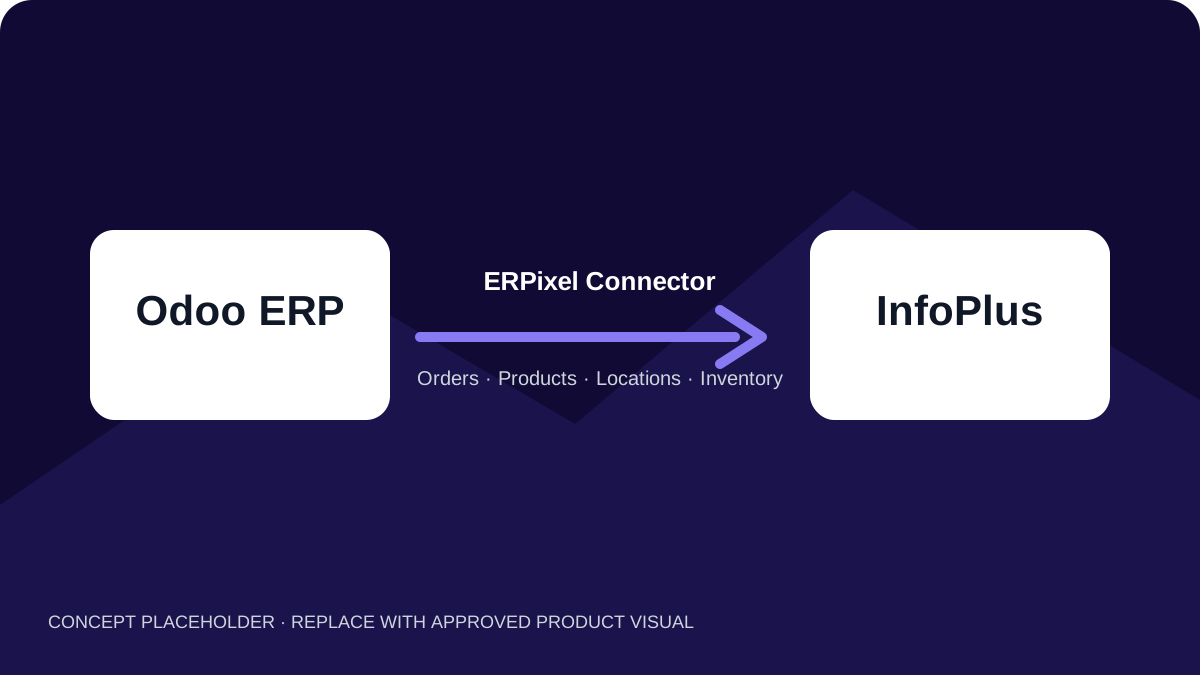
Product overview
Designed for businesses using Odoo ERP with InfoPlus warehouse and fulfillment operations, the connector links Lines of Business, locations, products, customers, and stock with fulfillment-order submission, external status, tracking, and delivery completion. Validation, duplicate-order recovery, scheduled automation, API rate-limit handling, structured logs, and delivery-level history make it a supportable workflow rather than a simple order-export script.
Product gallery
Prepared for approved, sanitized screenshots of InfoPlus configuration and daily fulfillment operations in Odoo.
When the connector helps
The connector addresses recurring gaps between Odoo business operations and InfoPlus warehouse execution.
Send eligible Odoo deliveries to InfoPlus without recreating orders and line details in the WMS.
Synchronize InfoPlus Lines of Business and use the selected LOB consistently across orders, customers, and inventory.
Bring detailed InfoPlus warehouse locations into Odoo and link corresponding internal stock locations.
Maintain explicit external product mappings and identify SKUs that do not yet match an Odoo Internal Reference.
Recover the existing InfoPlus order when a duplicate customer-order response can be verified.
Keep requests, responses, errors, status, and chatter history accessible to operations and support teams.
Core capabilities
The verified implementation combines detailed reference-data synchronization with guarded fulfillment execution.
Retrieve, update, and select the InfoPlus LOB used for orders, order lines, customers, and inventory filtering.
Discover warehouse IDs through location data and synchronize building, zone, aisle, bay, level, address, and other location metadata.
Create or link internal Odoo stock locations beneath the mapped warehouse from synchronized InfoPlus locations.
Retrieve InfoPlus items, match SKU to Odoo Internal Reference, retain barcode data, and deactivate mappings no longer returned.
Create, find, update, or administratively retrieve InfoPlus customer records while avoiding blind duplicate creation.
Send ship-to and bill-to addresses, SKU, quantity, cost, selling price, weight, UPC, vendor SKU, references, and configured order defaults.
Retrieve supported states, tracking, carrier, and service information, then complete or cancel the Odoo delivery when verified conditions are met.
Handle InfoPlus HTTP 429 responses with Retry-After/reset awareness and bounded backoff retries.
How it works
The connector applies LOB and warehouse context, mappings, validation, scheduling, duplicate recovery, and diagnostics around the InfoPlus API.
Business platform
Products, contacts, sales references, reserved stock, warehouses, deliveries, addresses, and tracking fields provide the business context.
Integration layer
LOB selection, warehouse and SKU mappings, validation, schedules, retries, rate-limit handling, and logs control the exchange.
Fulfillment platform
InfoPlus receives detailed fulfillment orders and returns reference data, inventory, statuses, carrier, service, and tracking information.
Synchronization is automated and schedule-based. Exact LOB, warehouse, location, customer, carrier, and inventory rules are confirmed during implementation.
Supported data flows
These directions reflect verified workflows. Bin-by-bin quantities, complete warehouse-master exchange, and generic two-way cancellation are intentionally excluded.
| Data object | Direction | Operation |
|---|---|---|
| Fulfillment orders | Odoo → InfoPlus | Send LOB, warehouse, customer, addresses, configured defaults, detailed line data, operational references, and notes. |
| Lines of Business | InfoPlus → Odoo configuration | Synchronize available LOB records and select the active context used by connected workflows. |
| Products and SKUs | InfoPlus → Odoo mapping | Retrieve external IDs, SKUs, names, and barcodes; match products by Odoo Internal Reference where possible. |
| Warehouse locations | InfoPlus → Odoo | Synchronize detailed location metadata and create or link corresponding Odoo internal locations. |
| Available inventory | InfoPlus → Odoo | Aggregate mapped SKU quantities across allowed locations and update the Odoo warehouse main stock location. |
| Customers (optional) | Odoo ↔ InfoPlus administration | Create or update InfoPlus customers before fulfillment and support controlled administrative retrieval into Odoo. |
| Status and shipment data | InfoPlus → Odoo | Retrieve supported fulfillment states, tracking number, carrier, and shipping service for delivery processing. |
Assess your workflow
Share your Lines of Business, warehouses, locations, SKU model, customer workflow, order defaults, inventory expectations, and shipment rules.
Operational reliability
The connector validates business readiness before transmission and preserves enough context to diagnose later synchronization behavior.
Require a ready delivery, connected warehouse, active product mappings, recipient and address data, full stock reservation, and cut-off eligibility.
Exclude historical orders and deliveries created before the warehouse cut-off unless an authorized user deliberately sends one.
Find and reuse the existing InfoPlus order when the duplicate response and customer order reference can be verified.
Retry eligible unsent failures and periodically refresh orders, statuses, inventory, and product mappings through configurable processes.
Process large LOB, item, location, order, inventory, and customer datasets across bounded API pages.
Store request/response context, errors, latest WMS state, delivery history, and chatter messages inside Odoo.
Business benefits
The connector reduces repetitive cross-system work without hiding the mappings and validation rules on which fulfillment depends.
Automate eligible order submission, reference-data refresh, stock updates, and shipment-state checks.
Use explicit SKU mappings and visible unmatched products instead of silently connecting the wrong records.
Represent InfoPlus Lines of Business and detailed location structures alongside ERP operations.
Give operations and technical teams stable external references, logs, responses, and delivery history.
Who it is for
Businesses that manage commercial and inventory context in Odoo while InfoPlus executes external fulfillment.
Operations using Lines of Business, multiple warehouse locations, customer directories, and detailed fulfillment data.
Teams that need scheduled, supportable exchange rather than spreadsheets, repeated entry, and opaque scripts.
Why ERPixel
ERPixel combines Odoo consulting, development, implementation, training, and support.
Documented work includes InfoPlus and other WMS, 3PL, inventory, and fulfillment environments.
ERPixel can configure, adapt, test, deploy, monitor, and extend the connector around the client operating model.
Related services
Combine the product with the Odoo configuration, adaptation, rollout, and support required by your operation.
Design reliable exchanges between Odoo and warehouse or fulfillment platforms.
Adapt mappings, customer logic, shipping rules, automation, and related Odoo workflows.
Configure warehouses, inventory, products, contacts, users, and rollout processes.
Maintain, diagnose, monitor, and improve the integrated environment.
Related products
See other integrations built around specialized warehouse and fulfillment environments.
Connect Odoo ERP with CSG fulfillment across shop routing, SKU mappings, usable stock, statuses, and tracking.
Connect Odoo ERP with CIRRO fulfillment across warehouse routing, sellable inventory, statuses, and tracking.
Connect Odoo with Mintsoft fulfillment across products, stock, transfers, warehouses, couriers, and sales channels.
Custom connector development
ERPixel can design and develop a custom Odoo module or connector around your API, data model, fulfillment rules, automation, and support requirements.
FAQ
It is an ERPixel integration that connects Odoo ERP with InfoPlus WMS across fulfillment orders, Lines of Business, products, locations, inventory, optional customer synchronization, statuses, and tracking.
Yes. It synchronizes detailed location records and can create or link corresponding Odoo internal stock locations. Inventory quantities are aggregated for the mapped warehouse and are not mirrored bin by bin.
Customer synchronization is optional. When enabled, it can find, create, and update the InfoPlus customer before fulfillment; controlled administrative retrieval into Odoo is also available.
When InfoPlus reports a duplicate customer order, the connector searches for the existing order by the transmitted reference and reuses its order number when it can be verified.
The connector aggregates supported available quantities by SKU across allowed InfoPlus locations and applies the result to the mapped Odoo warehouse main stock location.
Yes. HTTP 429 responses use Retry-After or rate-limit reset information when available, with bounded backoff retries. This is not presented as a generic retry mechanism for every API or network error.
The connector uses configurable scheduled background synchronization. It should be described as automated or frequent synchronization rather than event-driven real-time exchange.
Connect ERP and fulfillment
Tell ERPixel about your Lines of Business, warehouses, products, locations, customer rules, inventory model, and shipment workflow. We will assess connector fit and implementation requirements.