
Manual order handoff
Send eligible Odoo deliveries to CIRRO automatically instead of recreating fulfillment orders.
Odoo × CIRRO fulfillment integration
Connect Odoo delivery and inventory workflows with CIRRO fulfillment—automating order handoff, warehouse routing, sellable stock updates, shipment statuses, and tracking.
Built for Odoo Enterprise Edition · CIRRO OMS REST API integration · Configuration and implementation assessment required
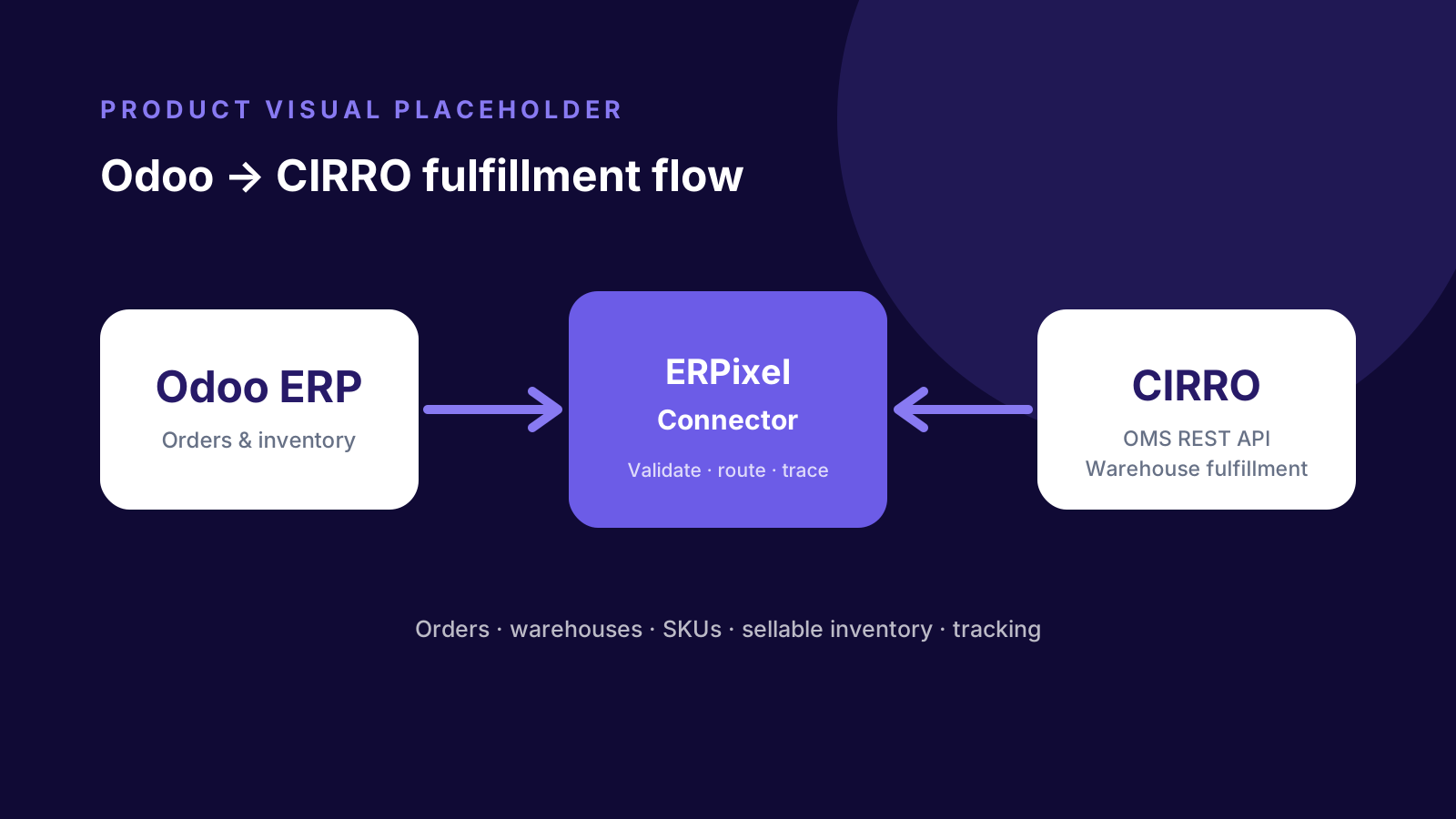
Product overview
Designed for businesses using Odoo ERP with CIRRO warehouse and fulfillment operations, the connector coordinates warehouse configuration and SKU mapping, fulfillment-order creation, sellable inventory updates, shipment status, tracking, and delivery completion. Orders are validated before transmission, warehouses are explicitly mapped, Draft or Submit behavior is configurable, and Odoo retains response, chatter, status, and log context for support.
When the connector helps
The connector addresses recurring gaps between Odoo order management and CIRRO warehouse execution.
Send eligible Odoo deliveries to CIRRO automatically instead of recreating fulfillment orders.
Validate recipient data, shipping configuration, SKU mappings, stock reservation, and warehouse assignment before transmission.
Apply CIRRO sellable quantities to mapped products in the corresponding Odoo warehouse.
Require tracking, carrier, and service information before a shipped status automatically completes an Odoo delivery.
Protect go-live and migrations from accidental transmission of older transactions with a warehouse cut-off.
Use synchronization states, delayed checks, logs, API responses, and Odoo chatter to investigate problems.
Core capabilities
The verified implementation covers the daily workflows required to coordinate Odoo with CIRRO.
Create CIRRO orders from eligible Odoo deliveries with recipient, address, warehouse, shipping method, SKU, quantity, reference, and notes.
Create orders as drafts for controlled review or submit them directly into the CIRRO fulfillment process.
Synchronize CIRRO warehouses and map each participating Odoo warehouse to the appropriate external warehouse code.
Retrieve CIRRO SKUs, match them to Odoo Internal References, create missing mappings, and deactivate mappings no longer returned.
Update mapped Odoo warehouse stock with the sellable quantity reported by CIRRO.
Synchronize order status plus tracking, carrier, and shipping service when CIRRO returns the required shipment information.
How it works
The connector applies warehouse mappings, product mappings, shipping configuration, eligibility rules, schedules, status handling, and diagnostics around the CIRRO OMS API.
Business platform
Sales references, products, warehouses, reserved stock, contacts, outgoing deliveries, and tracking fields provide the business context.
Integration layer
Validation, Draft/Submit mode, shipping configuration, mappings, schedules, retries, cut-off protection, and logs control the exchange.
Fulfillment platform
The mapped warehouse receives fulfillment orders and returns SKUs, sellable inventory, order status, carrier, service, and tracking data.
Synchronization is automated and schedule-based. Exact mappings, intervals, shipping codes, submit mode, and warehouse rules are confirmed during implementation.
Supported data flows
These directions reflect verified product workflows. Automatic Odoo-to-CIRRO cancellation and complete product-master synchronization are intentionally excluded.
| Data object | Direction | Operation |
|---|---|---|
| Fulfillment orders | Odoo → CIRRO | Send validated recipient, address, warehouse, shipping method, submit mode, SKU, quantity, reference, and note data. |
| Warehouses | CIRRO → Odoo configuration | Synchronize external warehouse names, codes, and countries for explicit Odoo warehouse mapping. |
| Product SKUs | CIRRO → Odoo mapping | Retrieve external SKUs and maintain mapping records against Odoo Internal References. |
| Sellable inventory | CIRRO → Odoo | Apply sellable quantities to mapped products in the corresponding Odoo warehouse stock location. |
| Fulfillment status | CIRRO → Odoo | Translate draft, pending, shipped, hold, exception, problem, and discard outcomes into the Odoo synchronization lifecycle. |
| Shipment information | CIRRO → Odoo | Store tracking number, carrier, and shipping service when the required data is returned. |
Assess your workflow
Share your Odoo environment, CIRRO warehouses, SKUs, shipping methods, fulfillment controls, inventory expectations, and API setup. ERPixel will assess configuration and required adaptation.
Reliability and diagnostics
The connector protects both ends of the fulfillment workflow while keeping recovery and diagnostic information visible in Odoo.
Check delivery readiness, recipient and address fields, warehouse and shipping configuration, active SKU mappings, full reservation, and historical cut-off.
Do not automatically complete an Odoo delivery from a shipped status alone when tracking, carrier, or service information is incomplete.
Retry failed unsent orders, delay repeat checks for CIRRO exception/problem states, and retain logs, responses, statuses, and chatter history.
Business benefits
Automation reduces recurring handoffs while explicit configuration and Odoo-native diagnostics support daily operations and go-live.
Automate eligible order transmission, status checks, SKU updates, and inventory synchronization.
Stop deliveries with missing data, shipping configuration, mappings, or stock reservation before external submission.
Use Draft mode for review and testing or Submit mode for direct fulfillment processing.
Bring CIRRO sellable inventory into the Odoo warehouse mapped to the corresponding external location.
Complete or cancel the relevant Odoo delivery from verified CIRRO outcomes with duplicate-state safeguards.
Keep external IDs, statuses, responses, shipment data, logs, and operational messages alongside the Odoo process.
Who it is for
The strongest fit is an ecommerce or distribution operation where Odoo must remain coordinated with outsourced warehouse execution.
Connect Odoo order processing and customer delivery data with CIRRO fulfillment.
Keep ERP-side status, tracking, inventory, and exception visibility after warehouse handoff.
Route each connected Odoo warehouse to its explicitly mapped CIRRO warehouse.
Why ERPixel
ERPixel combines Odoo delivery expertise with verified CIRRO fulfillment workflows, warehouse controls, inventory updates, and support diagnostics.
End-to-end Odoo implementation, customization, integration, training, and support.
Confirmed work across CIRRO and other WMS, 3PL, inventory, and fulfillment environments.
ERPixel can configure, adapt, test, deploy, monitor, and extend the connector around the client operating model.
Related services
Combine the product with the Odoo configuration, adaptation, rollout, and support required by your operation.
Design and implement reliable exchanges between Odoo and warehouse or fulfillment platforms.
Adapt mappings, fulfillment rules, shipping logic, automation, and related Odoo workflows.
Configure Odoo warehouses, inventory, products, contacts, users, and rollout processes.
Maintain, diagnose, monitor, and continuously improve the integrated environment.
Related products
See other integrations built around specialized warehouse and operational environments.
Automate Odoo ERP order handoff, inventory, statuses, and tracking with an AMZPrep-operated warehouse.
Connect Odoo with Mintsoft fulfillment across products, stock, transfers, warehouses, couriers, and sales channels.
Connect Odoo ERP with CSG fulfillment across shop routing, SKU mappings, usable stock, statuses, and tracking.
Custom connector development
ERPixel can design and develop a custom Odoo module or connector around your API, data model, fulfillment rules, automation, and support requirements.
FAQ
It is an ERPixel integration that connects Odoo ERP deliveries and warehouse inventory with CIRRO fulfillment through the CIRRO OMS REST API.
The verified workflow sends fulfillment references, mapped warehouse code, configured shipping method and submit mode, recipient and address data, product SKUs, quantities, and an order note when available.
Yes. The connector retrieves CIRRO sellable inventory for the mapped external warehouse and applies quantities to mapped products in the corresponding Odoo warehouse stock location.
Yes. The connector can create a CIRRO order in Draft mode for review or testing, or create and submit it directly for fulfillment.
A CIRRO shipped status can complete the corresponding Odoo delivery when the required shipment information—including tracking number, carrier, and service—is available.
That direction is not presented as a supported workflow. The verified behavior is CIRRO cancellation or discard status updating and, where appropriate, canceling the corresponding Odoo delivery.
The connector uses configurable scheduled background synchronization. It should be described as automated or frequent synchronization rather than event-driven real-time exchange.
Connect ERP and fulfillment
Tell ERPixel about your warehouses, SKUs, shipping methods, submission controls, inventory expectations, and support requirements. We will assess the connector fit and implementation path.