
Make and receive calls in Odoo
Answer incoming calls and make outgoing calls while working in any Odoo module. Use the browser with the appropriate VoIP setup, or connect an external softphone.
Ready ERPixel module · FreeSWITCH integration
Make and receive calls directly in Odoo. Match callers to your contacts, see their call history, follow up on missed calls and transfer conversations to the right colleague.
Incoming, outgoing and internal calls · Missed-call visibility · Recordings accessible from Odoo
FreeSWITCH + Odoo · Calling features
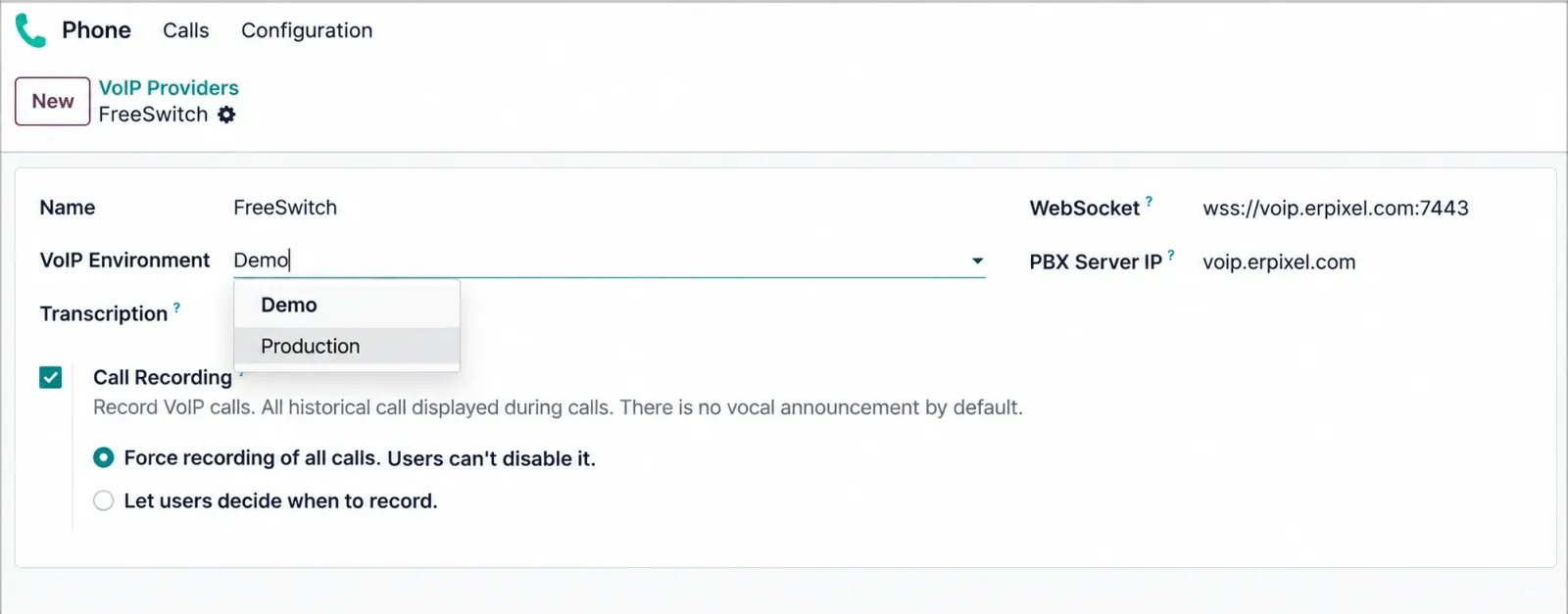
FreeSWITCH is an open-source telephony platform that runs your business calls. ERPixel’s ready connector brings that phone system into Odoo: call and answer where you work, recognize the person on the line and keep each conversation in your customer history.
Answer incoming calls and make outgoing calls while working in any Odoo module. Use the browser with the appropriate VoIP setup, or connect an external softphone.
Match the incoming number to your Odoo contacts. A popup shows the caller’s name, company, job function and related leads, with a photo when available. See who is calling and why the contact matters.
Call a partner’s saved number with one click, without retyping digits. From the call popup, open the call form, contact, lead or another linked record in one click.
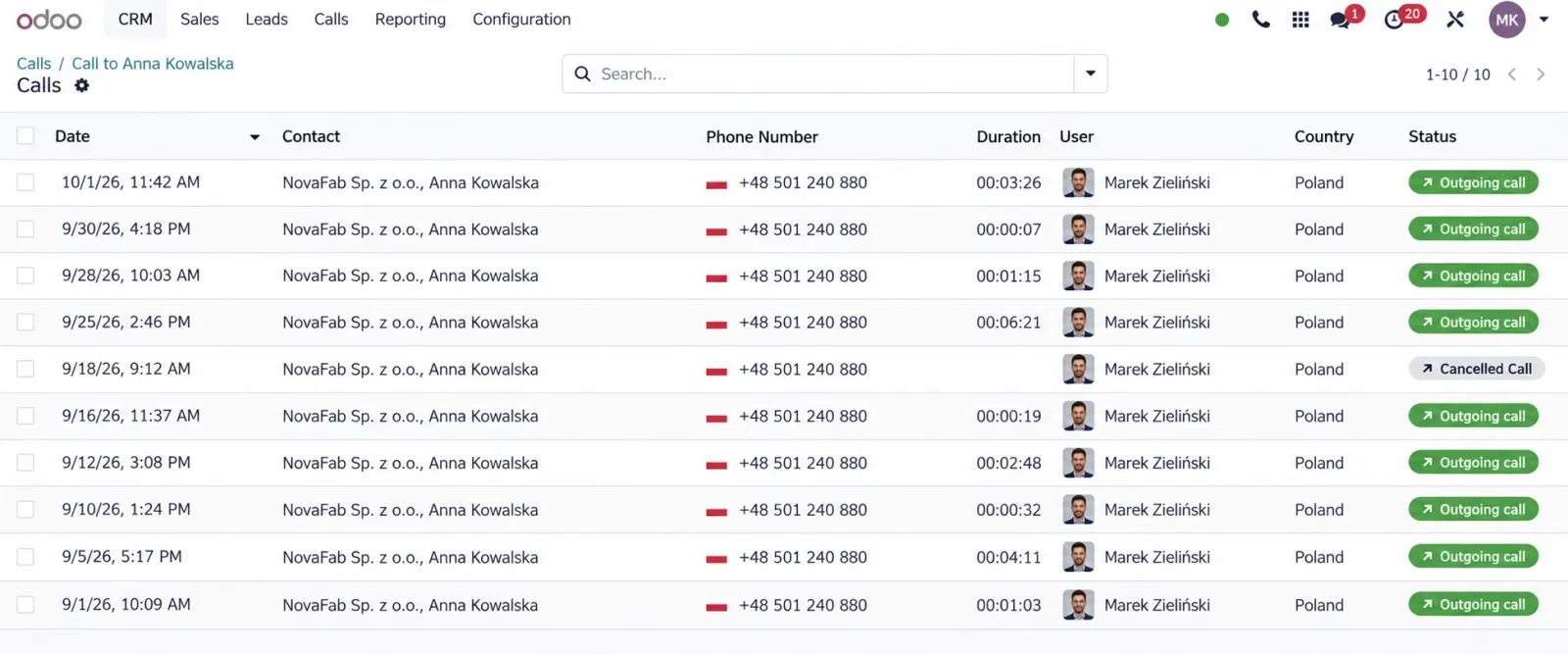
Review calls in a familiar list with contact photos, written descriptions and an audio player. Calls also appear chronologically in Odoo discussion threads alongside the record’s other communications.
Missed calls are registered automatically and visually highlighted in a dedicated widget. Mark urgent callbacks as priority “burn calls” so your team can see what needs attention.
Use call forwarding and transfers to direct conversations to the right colleague. Call employees through short FreeSWITCH extensions from Odoo, including colleagues working in different locations.
Play call recordings directly from an Odoo discussion thread or the call list. Add a written call description so the next person can understand the conversation without listening to every recording.
Configure record creation for incoming or outgoing calls per PBX extension. Create contacts with the phone number filled in and the country derived from its prefix; enable leads, tasks or requests where your process needs them.
Product gallery
Two ways to call
Choose the working model that suits each employee.
Answer, dial and identify contacts while working in any Odoo module. Outgoing calls do not change how the module works. A separate softphone is optional with the appropriate VoIP configuration.
Employees can use a separate VoIP application for calling. This suits colleagues who do not need to operate directly inside Odoo.
Missed calls & priority callbacks
A missed call becomes a visible follow-up inside Odoo, ready for your team’s callback process.
Keep missed calls visible in Odoo so employees can see which conversations need a response.
Spot missed calls through visual highlighting and a separate missed-call widget.
Mark important callbacks as priority calls so they stand out when employees plan their follow-up.
Call history & linked records
See calls in Contacts, Leads, Opportunities, Sale Orders, Tasks, Employees or any model with a discussion thread. Review them chronologically alongside emails, notes and the other messages available in that thread.
Link calls automatically to existing record threads. If a conversation belongs elsewhere, manually rebind it from a Lead to a Contact or another model’s thread.
Browse all calls with contact photos, audio playback and written descriptions. Open the associated record when you need the wider history.
Enable Lead, Task or Request creation for incoming and/or outgoing calls per extension. Outgoing lead generation is available when your sales process needs it.
Recordings inside the Odoo workflow
FreeSWITCH records and stores the call. The ERPixel Connector makes the recording accessible alongside the Odoo communication history.
01 · Conversation
An employee handles the call through the configured telephony setup.
02 · Audio storage
FreeSWITCH records the conversation and stores the audio file.
03 · Business context
The connector provides access from the relevant communication context or mail thread.
04 · Playback
Replay the conversation alongside the rest of the customer communication.
Plan the required recording storage on the FreeSWITCH side. Audio files remain there; access is provided through Odoo.
Record creation configured per user
Calling is available in every module. Each user’s preferences, group settings and links to Odoo modules determine which record is created for an incoming call. FreeSWITCH IVR can route incoming calls; record creation follows the user’s configuration.
Configure the user’s calls to create a Lead or Opportunity in CRM.
Explore Odoo CRMConfigure the user’s calls to create a sale in the Sales module.
Explore Odoo SalesConfigure the user’s calls to create a Helpdesk ticket.
Explore Odoo HelpdeskConfigure the user’s calls to create a Vendor Bill record in Accounting.
Explore Odoo AccountingAdvanced functionality · Optional extension
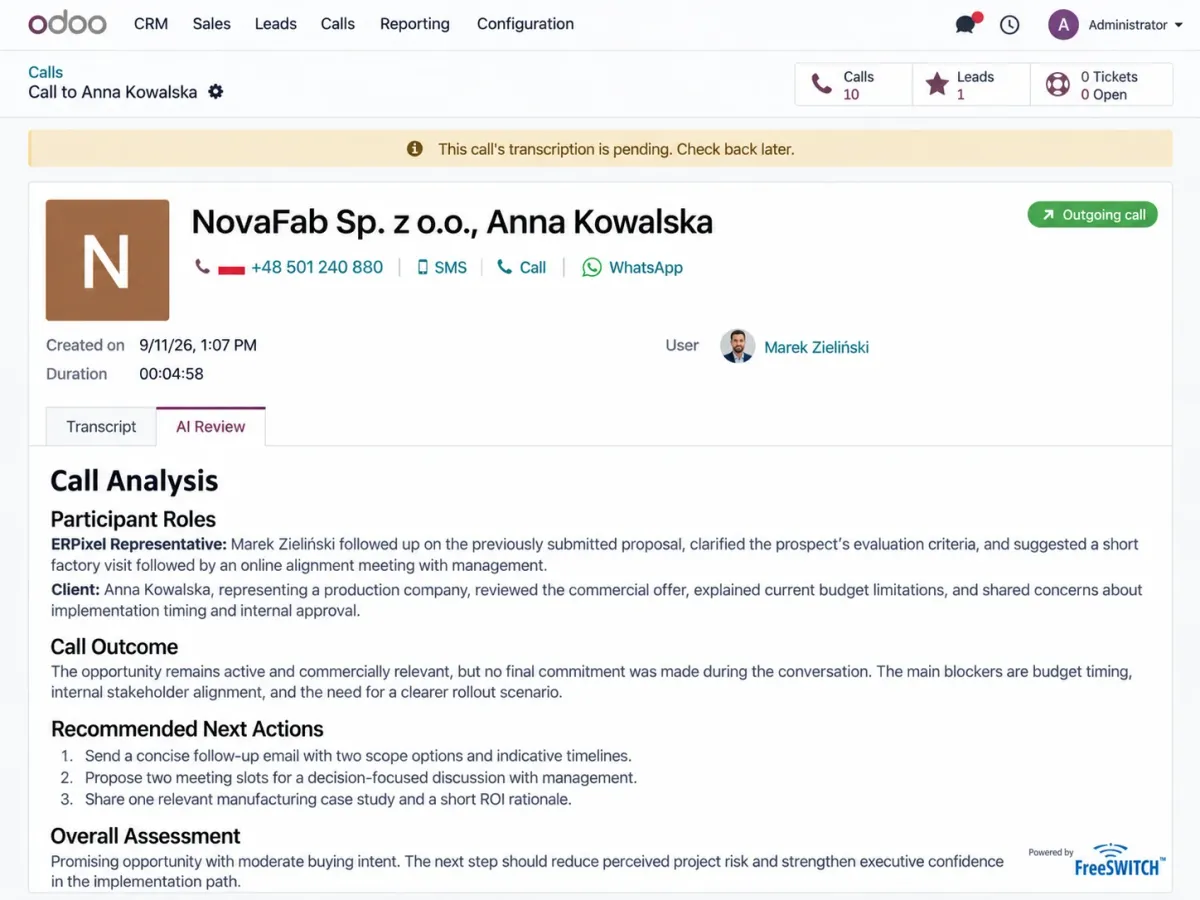
Add speech transcription and AI conversation analysis to understand what customers need and how your team responds. The core connector works independently of this optional extension.
Turn speech into text and identify what the conversation was about.
Analyze what the customer wanted and what the employee offered during the conversation.
Analyze how your company communicates with customers, vendors and other external counterparties.
Deployment fit
The connector is not tied to a specific FreeSWITCH version. ERPixel recommends a current FreeSWITCH release for a new deployment.
The provider connects on the FreeSWITCH side. Provider compatibility is handled there; ERPixel can recommend providers it has worked with.
Why ERPixel
Work with the team that developed the module and can adapt the surrounding business processes.
Odoo implementation, development and integration expertise for your connected environment.
Start with ERPixel’s ready module and configure how employees call and use the Odoo business context.
Configure each user’s preferences and group settings to create the CRM, Sales, Helpdesk or Accounting records they need.
Custom module & connector development
Tell ERPixel which systems and workflows you want to connect. We can assess and develop a custom module or connector around your requirements.
Implementation services
Coordinate FreeSWITCH, Odoo and the systems involved in your business process.
Adapt Odoo business objects and workflows when your process needs additional development.
Your FreeSWITCH + Odoo deployment
Share your FreeSWITCH and Odoo architecture, user preferences and the records each team needs to create. ERPixel will discuss the required configuration and prepare a proposal for connector implementation, including optional AI if you need it.