
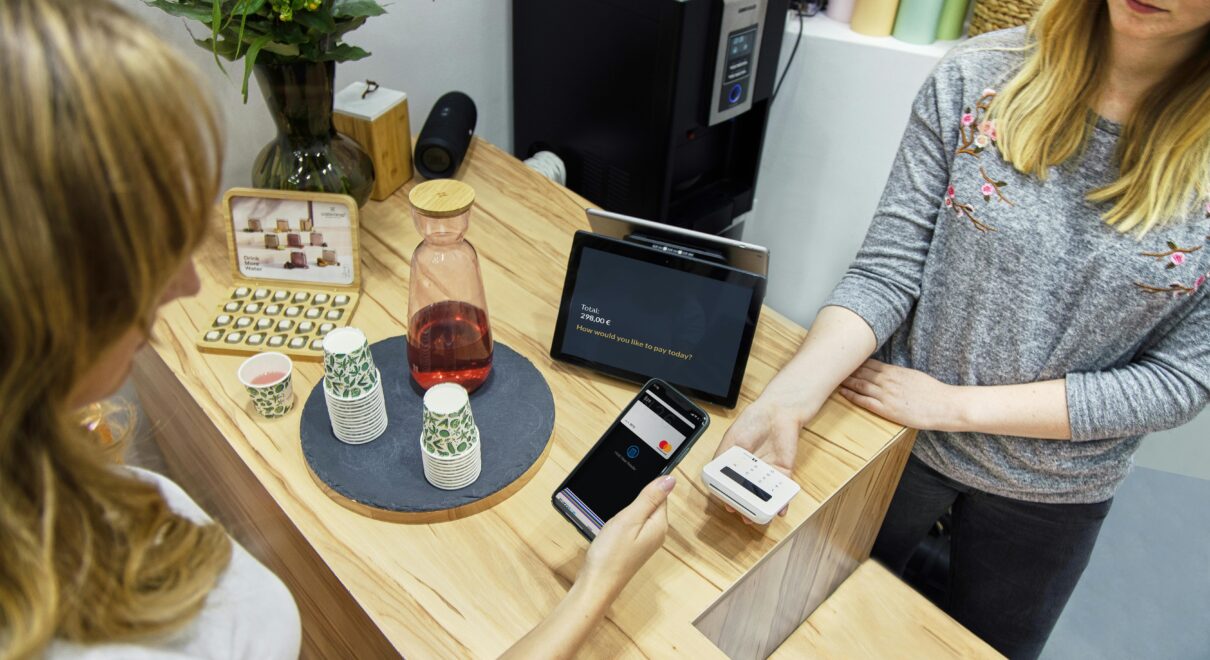
A store manager closes the day feeling confident: the cash drawer “looks right,” the card terminal matches, and staff are tired but relieved. The next morning, a customer calls about a missing refund, the accountant asks why cash doesn’t reconcile, and the warehouse reports a surprise stockout on the best-selling item. The problem isn’t effort—it’s visibility. When sales happen at the counter, decisions must happen fast. If the business can’t trust its checkout data, everything downstream breaks.
The key question is simple: how can you use Odoo for PoS to make every checkout instantly update inventory, accounting, and reporting—without manual spreadsheets?
Key terms you’ll hear when discussing Odoo for PoS
Before planning improvements, align on what the PoS “ecosystem” really means inside an ERP.
- Point of Sale (PoS): The checkout interface where orders, payments, and receipts are handled.
Example: A cashier sells two items, applies a discount, and prints a receipt in one flow. - Session: A defined period of PoS activity, typically tied to a cashier shift or a day.
Example: The morning shift opens a session, takes cash/card payments, then closes and reconciles. - Payment methods: The channels customers use to pay (cash, card, wallet, vouchers).
Example: Card payments route to a specific journal, while vouchers post to a liability account. - Stock moves: Inventory adjustments generated by sales, returns, or internal transfers.
Example: Selling a product triggers a stock decrease from the store location immediately. - Product variants: A single product with multiple options like size or color.
Example: “T-Shirt” with variants S/M/L needs correct barcodes per variant at checkout. - Omnichannel: Operating across physical stores, eCommerce, and other channels as one system.
Example: An online order reduces the same inventory pool used by the retail PoS.
Why Odoo for PoS matters: the hidden cost of disconnected checkout
When PoS runs on a separate tool from inventory and accounting, teams usually “bridge” gaps with exports, manual reconciliations, and after-the-fact corrections. That creates three recurring issues: delayed reporting, inaccurate stock, and inconsistent financial posting. Over time, leadership stops trusting numbers—and the business starts managing by gut feeling.
Business example 1: Multi-branch retail losing margin through stock errors
A fashion retailer with three branches sells fast-moving items with multiple sizes. If the PoS doesn’t update stock reliably, staff oversell popular variants, then scramble to transfer inventory between branches. Customers experience cancellations and delays, while management can’t spot which branch is underperforming until the month ends. The consequence is real: lost revenue, higher logistics costs, and higher return rates.
Business example 2: Hospitality struggling with cash control and speed
A café chain wants quick service, split bills, and smooth refunds. If orders and payments live in one system while accounting lives in another, closing shifts becomes a daily headache. Discounts are applied inconsistently, refunds are hard to audit, and cash differences become “normal.” Ignoring this leads to leakage, slow service during peak hours, and poor customer experience.
How to implement Odoo for PoS as an operational system—not just a checkout screen
The transcript provided doesn’t contain usable business guidance (it’s mostly music and applause). So instead of guessing intent, here’s a practical, proven framework based on how modern companies deploy Odoo for PoS to achieve control, speed, and clean data. The goal is to treat PoS as the front door of your ERP, where every transaction becomes structured operational truth.
1) Start with a clean product and pricing model
PoS performance depends on product data quality. In Odoo for PoS, define clear categories, barcodes, variants, and units of measure. Then design pricing rules that match reality: taxes, service charges, time-based pricing, or wholesale vs retail lists. This reduces cashier improvisation and keeps reporting consistent.
Result: faster checkout, fewer pricing disputes, and more reliable margins.
2) Connect checkout to inventory in real time
The biggest operational win of Odoo for PoS is turning sales into immediate stock moves. Configure store locations properly (main warehouse, each branch, each kitchen/store room) and decide how you handle negative stock, reservations, and returns. If you sell bundles or combos, ensure components are deducted correctly.
Result: fewer stockouts, better replenishment, and accurate “what’s available” across channels.
3) Make session closing and accounting posting a daily habit
Businesses often delay reconciliation because it’s painful. Odoo for PoS improves this when payment methods map cleanly to accounting journals and when staff follow a standard session close process. Configure cash control, opening balances, expected cash, and variance rules so issues are caught daily—not monthly.
Result: tighter cash management, faster month-end close, and fewer unpleasant surprises.
4) Use roles, permissions, and approvals to prevent leakage
Discounts, refunds, and price overrides need governance. With Odoo for PoS, you can restrict sensitive actions to managers, track who did what, and review patterns. Combine that with clear refund reasons and audit-friendly workflows.
Result: reduced revenue leakage and higher trust in operational data.
5) Build dashboards that answer operational questions
“How are we doing?” must be answered by live data. Odoo for PoS enables near real-time views of top-selling products, category performance, cashier productivity, and peak times. When PoS data, inventory, and accounting are aligned, you can act faster: adjust staffing, replenish, or change promotions the same day.
Result: better decisions, better staffing, and promotions based on facts.
6) Integrate PoS with the rest of Odoo for end-to-end flow
The most valuable deployments connect Odoo for PoS with key apps: Inventory, Accounting, Purchase, CRM, and even eCommerce. For example, loyalty programs and customer histories can support repeat purchases, while automated purchasing rules can replenish top-selling items based on actual checkout velocity.
Result: one operational backbone instead of many disconnected tools.

Cash Flow Budgeting in Odoo ERP: Plan, Control, and Forecast Your Company’s Money

Streamlining Your Warehouse Operations with Odoo WMS and Mintsoft Integration

Everything You Have to Know About Odoo 16 Project Module
Transform Your Project Management with ERPixel! Struggling to keep your projects on track? Upgrade with…

Unlock the Full Potential of Odoo with Seamless Integrations!
Where ERPixel fits
Implementing Odoo for PoS is less about installing software and more about designing workflows that match your business. ERPixel, as an official Odoo Partner, helps you configure PoS, inventory locations, accounting journals, and automation rules—then trains your team to run consistent daily routines. If you need custom development (unique pricing logic, integrations, or hardware flows), ERPixel can extend Odoo without breaking maintainability.
Conclusion: answer the key question—and the next step
You use Odoo for PoS to make checkout data instantly operational by connecting sales to inventory updates, accounting postings, and real-time reporting in one system. That directly answers the question from the opening story: instead of discovering problems the next morning, you prevent them at the moment they start—at the counter.
If you want to deploy Odoo for PoS across one store or multiple branches, ERPixel can help you design the process, implement Odoo end-to-end, and automate the controls that protect margin and cash. Contact ERPixel to plan your Odoo PoS implementation and development roadmap.