
- Key HR & Payroll Terms in Odoo (Explained Simply)
- Why Contract Management Matters: Two Business Scenarios
- How Odoo Employee Contract Management Solves These Problems
- 1. Centralized View of All Contracts by Status
- 2. Bulk Salary Increases Without Spreadsheets
- 3. Guided Contract Creation for Transfers and Promotions
- 4. Automated Calculations and Cost Visibility
- 5. Digital Offers and E-Sign Workflow
- 6. Payroll Warnings That Protect You from Costly Mistakes
- 7. Implementing This Smoothly with an Odoo Partner
- Conclusion: Turning Contracts into a Reliable Payroll Engine
When the HR manager at a growing services company approved a 5% raise for the entire logistics team, it felt like a win.
Then payroll day came. Spreadsheets weren’t updated correctly, a few contracts were still in “draft”, and several employees didn’t receive the right salary.
Finance had to recalculate everything manually, employees were frustrated, and HR lost an entire afternoon fixing avoidable mistakes.
Situations like this are common when contracts, salary changes, and payroll are scattered across tools and email threads.
Odoo Employee Contract Management solves exactly this: it connects contracts directly to payroll and automates the details that usually go wrong.
The key question: How can HR and finance teams use Odoo to manage contracts, raises, and payroll warnings efficiently, without losing control?
Key HR & Payroll Terms in Odoo (Explained Simply)
Before diving into the workflows, it helps to align on the core concepts used inside Odoo’s payroll and contract apps.
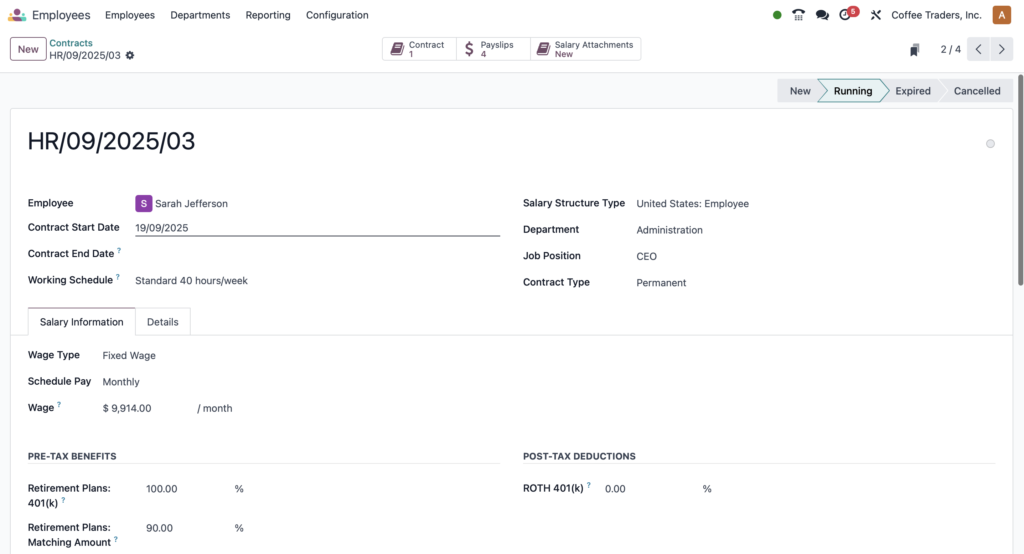
- Employee Contract – The digital record of an employee’s employment terms: start date, wage, schedule, department, and more.
Example: Shannon’s contract defines her as a “Repair Technician” in the “Quality and Repairs” department, with a fixed wage and bi-weekly pay. - Contract Status (New, Running, Expired, Canceled) – The lifecycle stage of each contract. Only running contracts are used to calculate payroll.
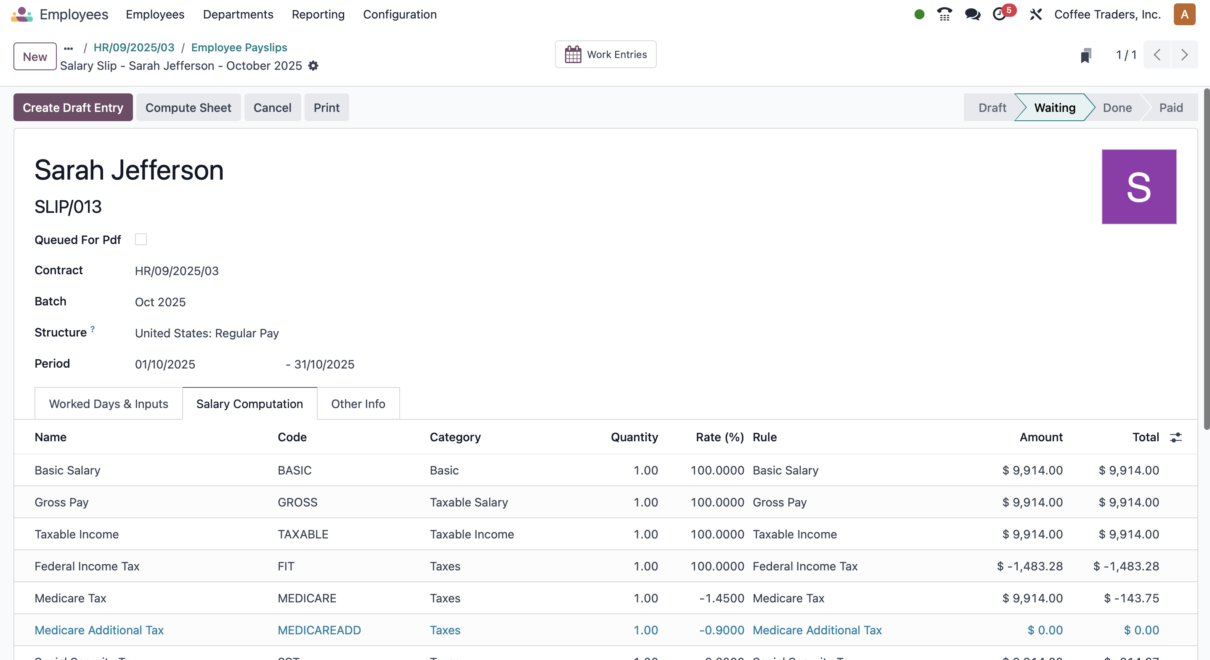
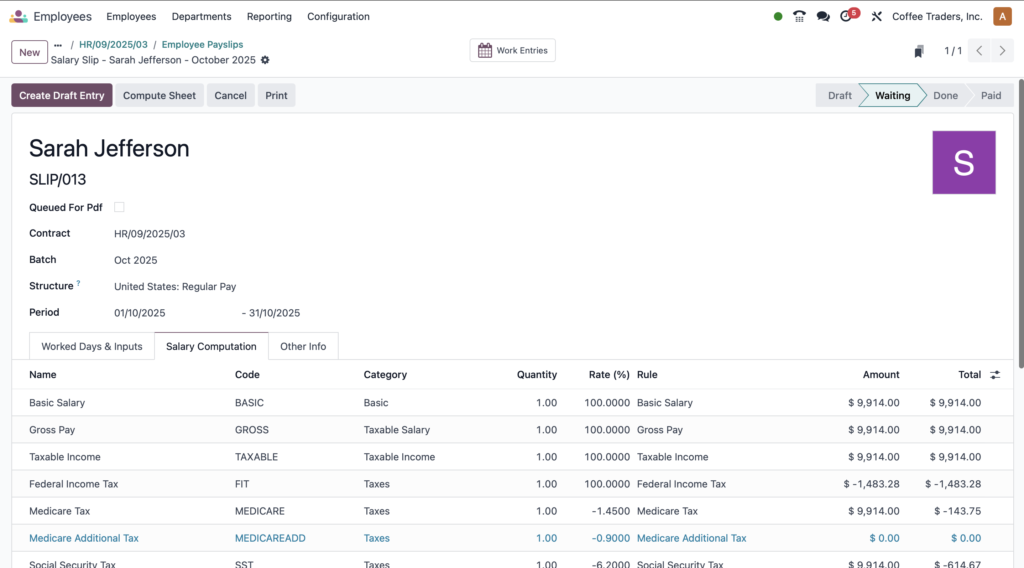
Example: Shane’s apprenticeship contract is “expired”, while his new permanent contract must be moved to “running” to be paid. - Wage on Payroll – The base amount used to compute salaries for payslips, usually per month or per period.
Example: A yearly salary of $60,000 is entered as $5,000 per month in the wage field. - Salary Structure & Localization – The configuration that adapts payroll rules to a country or region (taxes, contributions, rules).
Example: A contract using the “United States Employee” salary structure automatically follows U.S. payroll localization settings. - Payroll Warnings – System-generated alerts highlighting contract inconsistencies that might block or distort payroll.
Example: Odoo flags employees with both “new” and “running” contracts so HR can fix overlaps before processing payslips. - Mass Contract Update (Index Contracts) – A bulk action that lets HR apply raises or adjustments to multiple contracts at once.
Example: Applying a 5% wage increase to the entire Logistics & Installation department in a single operation.
Why Contract Management Matters: Two Business Scenarios
Effective contract handling is not just an HR formality; it directly impacts payroll accuracy, compliance, and employee trust.
Example 1: Logistics Company Scaling Fast
A logistics and installation provider secures several high-value projects and rewards the entire team with a 5% raise.
Without a centralized system like Odoo Employee Contract Management, HR must:
- Edit each contract manually.
- Recalculate wages and yearly cost in spreadsheets.
- Inform payroll via email or shared files.
Every manual step increases the risk of wrong salaries, misalignment with finance, or missing documentation for audits.
Example 2: Manufacturing Firm with Internal Transfers
A manufacturing company regularly moves staff across departments as they upskill, like a carpenter becoming a repair technician.
Each move requires a new contract with:
- New department and job position.
- Changed schedule or pay frequency.
- Updated salary and cost to company.
If contracts are not updated correctly or remain in the wrong status, payroll might:
- Pay based on the old contract.
- Fail to pay at all if no contract is “running”.
- Create compliance issues when audits request proof of terms.
How Odoo Employee Contract Management Solves These Problems
Odoo connects contracts, payroll, and HR operations into one workflow. The transcript you provided reflects a typical day for an HR manager using Odoo to manage raises, new contracts, and payroll warnings.
Below is how that process looks when implemented properly, often with help from an Odoo Partner like ERPixel.
1. Centralized View of All Contracts by Status
From the Payroll dashboard, HR can open the Contracts menu and immediately see all contracts grouped by status: new, running, expired, canceled.
Odoo also displays aggregate values such as average wage on payroll and yearly cost per stage.
This makes it easy to:
- Identify who is currently active (running contracts).
- Track offers still in “new” status awaiting signature.
- Spot expired or canceled contracts that should no longer affect payroll.
2. Bulk Salary Increases Without Spreadsheets
Instead of editing contracts one by one, HR can group employees—for example, by department—and apply a raise in a single step:
- Group contracts by Department and expand the relevant group (e.g., Logistics & Installation).
- Select all employees in that department.
- Use the Index Contracts action and set a percentage increase (e.g., 5%).
- Optionally enrich the automatic description (e.g., “for amazing performance”).
Odoo then updates the wage information for each selected contract and logs the change in the contract’s chatter, preserving an auditable history of raises.
3. Guided Contract Creation for Transfers and Promotions
When Shannon moves from Carpentry to Quality & Repairs, HR can create a new contract that reflects her future role:
- Start with New contract – Odoo auto-fills current employee details (department, job position).
- Adjust the start date (e.g., May 1st) to align with the new role.
- Leave the end date empty for permanent positions, or set it for temporary roles (e.g., summer intern).
- Update Department and Job Position fields to the new assignment.
- Enter the correct wage (monthly or yearly), letting Odoo compute monthly, bi‑weekly, or other breakdowns.
- Confirm the salary structure type (e.g., “United States Employee”) and pay schedule (e.g., bi-weekly).
Contract templates (e.g., a default employee contract, or an intern template) ensure legal text and structure remain consistent.
4. Automated Calculations and Cost Visibility
When HR enters the yearly cost, Odoo automatically calculates:
- Monthly cost.
- Bi-weekly wage or other pay-period breakdowns.
This removes manual math and ensures payroll amounts match HR’s intended total compensation. Finance teams gain immediate visibility into the real annual cost per contract, helping with budgeting and margin analysis.
5. Digital Offers and E-Sign Workflow
Once the contract is ready, HR can generate an offer directly from the contract:
- Review a summary of the contract details.
- Set offer validity (for example, reduce from 30 days to 7).
- Send by email with a link to view and sign.
The Signatories tab clearly lists who must sign (e.g., the employee and HR responsible).
Every step is recorded in the chatter, making it effortless to track what was sent, when, and to whom.
6. Payroll Warnings That Protect You from Costly Mistakes
On the Payroll dashboard, Odoo surfaces warnings tied to contract inconsistencies that might impact payroll runs. Examples include:
- Employees with both new and running contracts – like Shannon, who has a current contract and a future-dated one. HR can review and decide if action is required.
- Employees with multiple new contracts – such as Shane, where an old contract remains active in the wrong stage.
The system enforces clear rules: employees can only have one active contract, and only running contracts are used to process payroll.
By canceling outdated contracts and setting the correct one to “running”, HR ensures pay runs are clean and accurate.
7. Implementing This Smoothly with an Odoo Partner
While Odoo provides powerful out-of-the-box capabilities for contract management and payroll, tailoring it to your organization—localization, structures, templates, and workflows—can require expertise.
As an official Odoo Partner, ERPixel helps companies:
- Design contract templates for different roles (permanent, intern, apprentice, contractor).
- Configure salary structures and localization to match local regulations.
- Automate bulk updates, approvals, and notification flows.
- Integrate Odoo Employee Contract Management with accounting and HR analytics.
Conclusion: Turning Contracts into a Reliable Payroll Engine
The opening question was how to manage contracts, raises, and payroll warnings efficiently without losing control.
With Odoo Employee Contract Management, contracts stop being static documents and become live, actionable records that drive accurate payroll.
You can:
- Apply department-wide raises in a few clicks.
- Create precise new contracts for transfers and promotions.
- Rely on automatic calculations for wages and yearly costs.
- Resolve contract conflicts before they break payroll, using smart warnings.
If you want to move away from spreadsheets and fragmented tools and turn Odoo into the backbone of your HR and payroll operations, ERPixel can help you design and implement a robust contract and payroll setup tailored to your company.
Ready to streamline your employee contracts and payroll?
Contact ERPixel today to implement or optimize Odoo Employee Contract Management and build a predictable, automated payroll process that your team can trust.